Your week, planned day by day.
Give each routine the days it belongs to, and Dusted shows what’s on for any day of the week. Mornings on weekdays, a longer reset on Sunday, a review once a month: each turns up on its day, with a reminder at its time.
Updated
Choose when a routine repeats.
A routine can repeat every day, on the weekdays you pick, or monthly. Give it a time and turn on its reminder. The reminder carries the routine’s name and its anchor, like “After your morning coffee”, or simply “Ready when you are.” One reminder per scheduled time, and never a nudge about streaks.
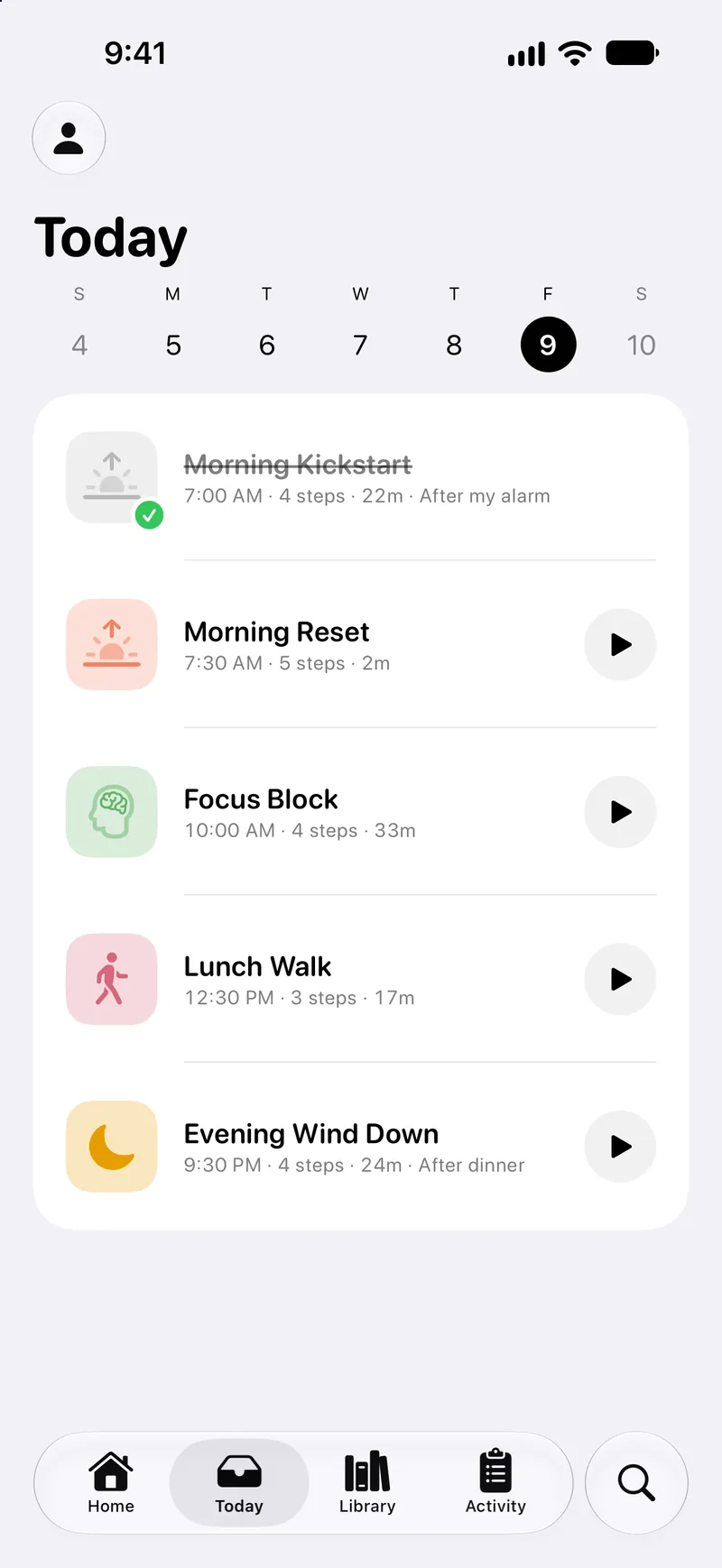
See any day on Today.
Today lists what’s scheduled, with a week picker to look ahead or back. On Home, the Today card shows each routine with its time; swipe one to mark it complete.
Rest days are part of the plan.
Days a routine isn’t scheduled never count against its streak. Going away? Pause the routine and its streak waits for you until you’re back. Need a day off from one routine? Skip it for today. Missing one scheduled day is fine if you run it again by the next.
Build bigger days from small routines.
A routine can run another routine in place. Keep a short wind-down on its own for weeknights, and put the same one at the end of a longer Sunday reset, without copying its steps.
Keep the next one close.
The Up Next widget shows your next routine today with a Start button, on the Home Screen, the Lock Screen and in StandBy. The Consistency widget shows the last seven days; with Show Streaks off it shows your runs instead of a streak.
Try it in Dusted.
Free to download, with optional Pro. On iPhone, iPad, Mac and Apple Watch.